There’s no shortage of apps that promise to “capture everything.” Your phone can already record meetings, transcribe voice notes, and summarize conversations with AI. So when I first picked up the Plaud Note Pro, the obvious question was: why add another device to the pile?
After spending time using it across meetings, calls, and casual idea dumps, the answer became clearer. The Plaud Note Pro isn’t trying to replace your phone. It’s trying to remove friction from moments when thinking, listening, and reacting matter more than fiddling with screens. And in that narrow but important lane, it does a lot right.
A Design That Disappears Until You Need It
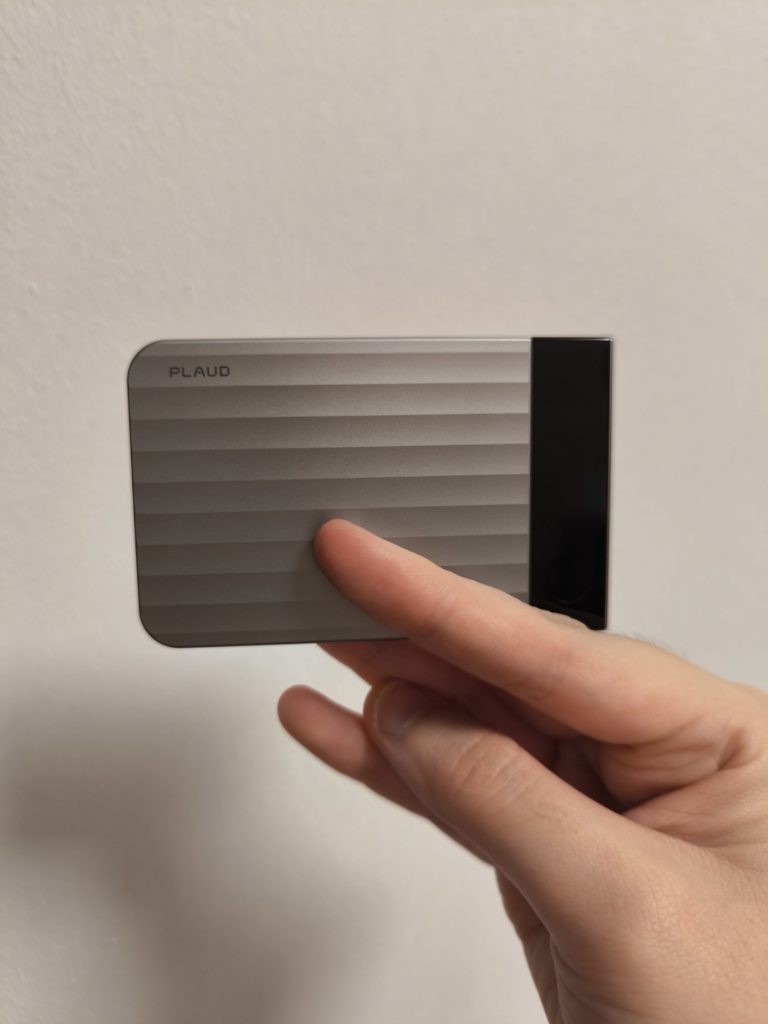
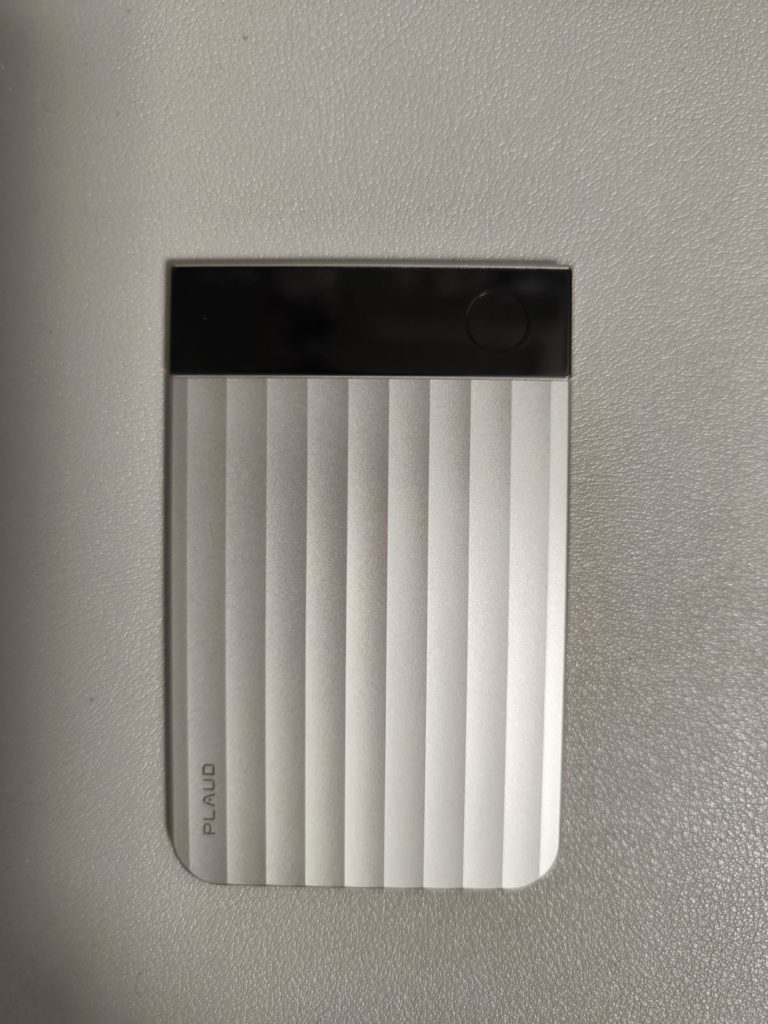
The Plaud Note Pro is roughly the size of a credit card and barely thicker than a stack of them. At 2.99mm thin and just 30 grams, it’s light enough that you forget it’s there until you reach for it. The textured aluminum body feels solid and deliberate, not like a throwaway accessory, and the ripple finish gives it a tactile quality that makes it easy to grip without looking down.
What immediately sets the Pro apart from earlier versions is the small AMOLED display. It doesn’t try to do too much, but it shows exactly what you need at a glance: recording status, battery level, and subtle visual cues when something important is happening. During recording, a waveform appears briefly before shifting to a minimal indicator to conserve power. It’s understated, but reassuring.
There’s a single physical button, and that simplicity is intentional. A long press starts or stops recording. A short press marks a highlight. No menus, no swiping, no second-guessing whether you actually hit “record.”
Recording Without Thinking About Recording
In day-to-day use, the Plaud Note Pro shines most when you stop thinking about it. I placed it on a table during a small group discussion, clipped it magnetically to the back of my phone for calls, and slipped it into a bag during transit. In all cases, it just did its job.
The four-microphone array, paired with AI beamforming, is genuinely effective. Voices across a table came through clearly, even when people spoke at different volumes. In a noisier environment, background sounds didn’t vanish entirely, but they stayed where they belonged: in the background. For a device this thin, the audio quality is impressive.
One particularly useful feature is its dual-mode recording. When attached to your phone, the Plaud Note Pro automatically recognizes whether it’s capturing an in-person conversation or a phone call, and it can switch modes mid-recording. There’s no manual toggle, which matters more than you might expect. The only real limitation here is that phone call recording doesn’t work with headphones, which is worth keeping in mind if you rely on them heavily.
The Highlight Button Is More Powerful Than It Sounds
At first, the highlight function seems minor. You press the button briefly during a recording, and the device marks that moment. In practice, it changes how you interact with conversations.
Instead of mentally telling yourself, “remember this part,” you press once and move on. Later, those highlights become anchors in the transcript and summaries. When reviewing a long meeting, you’re not starting from scratch. You’re jumping straight to the moments you already flagged as important.
This small interaction encourages active listening rather than frantic note-taking, which is arguably the Plaud Note Pro’s core philosophy.
The App Is Where the Intelligence Lives
The hardware captures. The Plaud app interprets.
Once recordings sync to the app, you can generate transcriptions, summaries, and structured notes. Transcription accuracy is strong, even across multiple speakers and different accents, and it supports a wide range of languages with speaker labels and custom vocabulary options.
Summaries are where Plaud leans heavily into AI. You can choose from different templates depending on what you want out of a recording: action items, high-level overviews, Q&A formats, or more specialized outputs. The summaries aren’t magical, but they’re consistently useful. They save time, and more importantly, they reduce the mental overhead of turning raw audio into something actionable.
For subscribers, features like Ask Plaud allow you to query your recordings directly, pulling answers from your own conversations rather than generic web data. In its current form, it feels more like a helpful assistant than a replacement for deep analysis, but it shows promise as the system matures.
Multimodal Notes Add Context, Not Clutter
One of Plaud’s quieter strengths is its support for multimodal input. Alongside audio, you can add photos, text notes, and highlights that all align on a single timeline. Snap a picture of a whiteboard, jot down a quick keyword, or mark a moment during a discussion, and the app ties it all together.
This contextual layering makes summaries more accurate and reviews more meaningful. Instead of a flat transcript, you get something closer to how the conversation actually unfolded.
Battery Life That Matches Real Workdays
Battery performance is another area where the Plaud Note Pro feels purpose-built. Depending on the recording mode, you’re looking at roughly 30 hours of continuous recording in higher-quality mode, or up to 50 hours in endurance mode, with long standby time between charges.
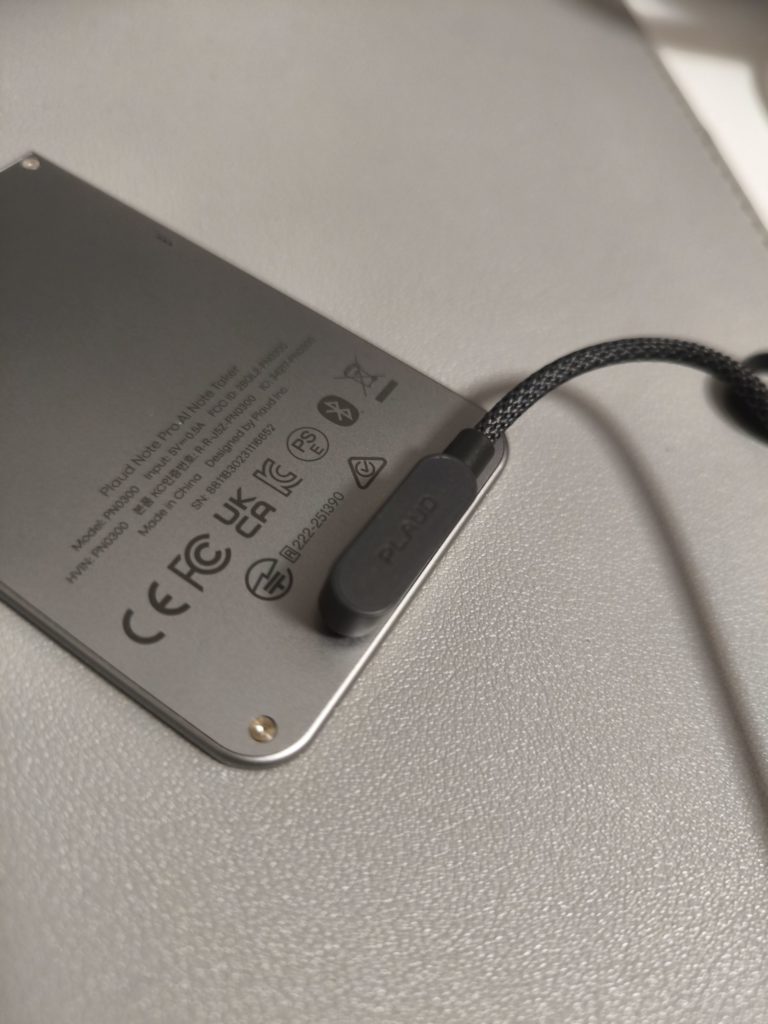
In practical use, short daily recordings barely made a dent in battery life over several days. Charging uses a magnetic connector rather than USB-C, which isn’t ideal, but it’s a tradeoff for the device’s ultra-thin profile.
Subscriptions: The Cost of Intelligence
Every Plaud Note Pro includes a free tier with a monthly transcription limit. If you want more minutes, automatic workflows, or deeper AI features, you’ll need a subscription. The pricing isn’t trivial, especially if you’re only an occasional user.
That said, the subscription model makes sense if you view Plaud as a productivity system rather than a simple recorder. You’re paying for ongoing AI processing, not just storage. Whether that’s worth it depends entirely on how often you rely on recorded conversations to do your work.
Who Is This Actually For?
The Plaud Note Pro won’t appeal to everyone, and it doesn’t try to. If you only record the occasional voice memo or meeting, your phone is probably enough.
Where Plaud earns its place is with people whose work revolves around conversations: journalists, consultants, sales professionals, founders, students attending dense lectures, or anyone who regularly needs to turn spoken ideas into structured outputs. For them, the combination of dedicated hardware and intelligent software removes friction that apps alone don’t fully solve.
Final Thoughts
The Plaud Note Pro isn’t about doing more. It’s about doing less while capturing more. Less tapping, less managing files, less worrying about whether you missed something important.
At S$ $259 it’s not cheap, and it’s tightly integrated with its app ecosystem. But when used as intended, it delivers on its promise: staying present in conversations while quietly handling the details in the background. For the right user, that tradeoff makes a lot of sense.