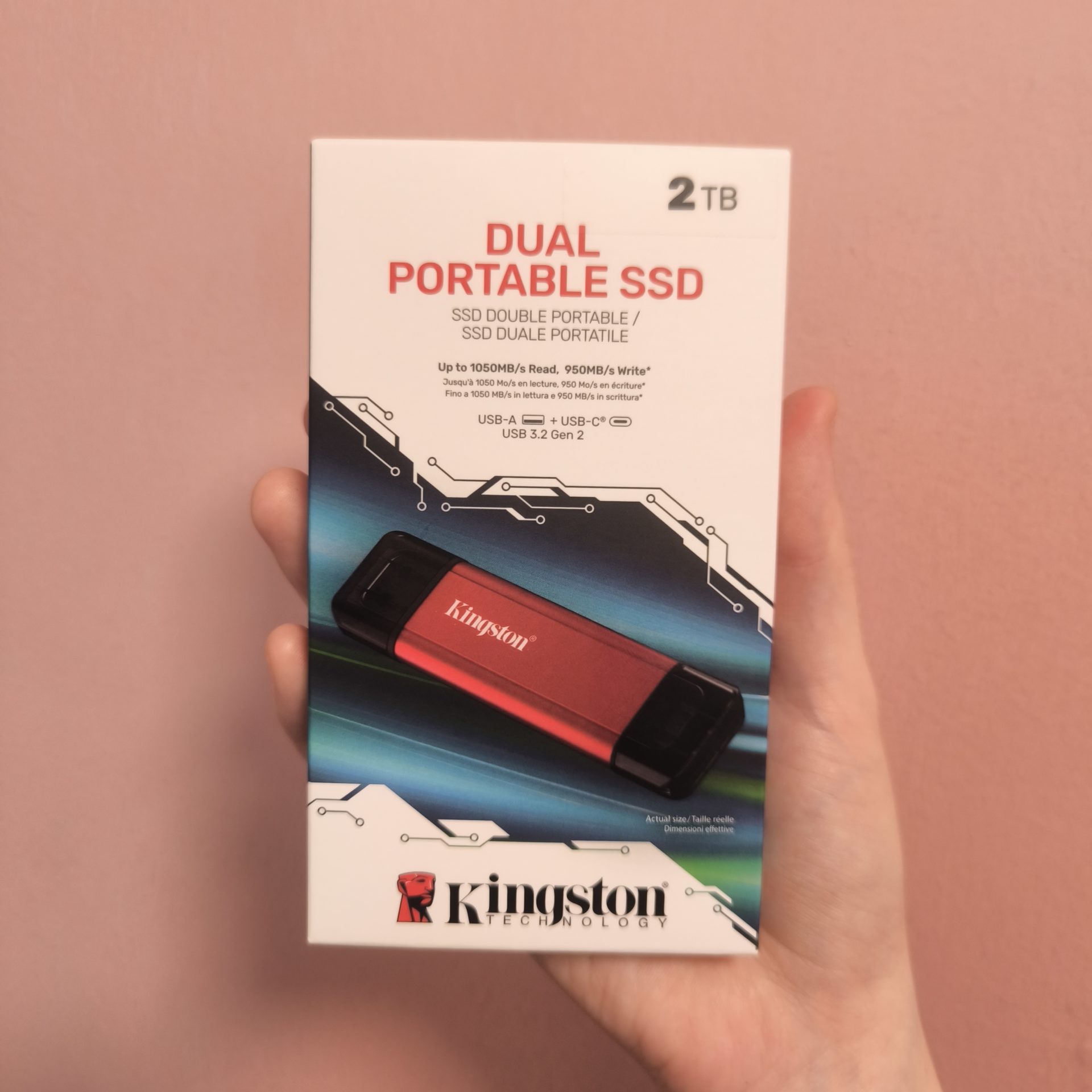
There's a certain kind of storage device that lives at the bottom of a backpack, gets plugged into three different laptops before lunch, and never asks for a cable, an app, or a second thought. Kingston's Dual Portable SSD wants to be exactly that drive. It's roughly the size of a chunky thumb stick, weighs about as much as two sheets of paper, and hides a genuine SSD inside a body you'd normally associate with a $15 flash drive.
And the short version is this: it's a clever, genuinely useful little thing that nails the "grab and go" job it was built for, as long as you're honest with yourself about what you're actually going to ask of it.
First Impressions: Small, Solid, and a Little Bit Flashy
Pull it out of the box and the first thing you notice is that it doesn't feel cheap. The main body is metal in Kingston's trademark red, and that matters more than it sounds. Metal gives the drive a reassuring density in the hand, and it doubles as a passive heatsink when things get busy inside. At around 72 x 21 x 8.6mm and a featherweight 13 grams, it disappears into a pocket or a laptop sleeve without you ever remembering it's there.
The signature trick is right there in the name. One end is USB-C, the other is USB-A, and both are built directly into the drive. No dongles, no cables, no hunting for an adapter when you're standing at a colleague's older desktop. You just flip the drive around and plug in whichever end fits. For anyone who bounces between a modern USB-C laptop, an aging office tower, and a phone, this is the whole pitch, and it works.

It's not a flawless design, though. The two port caps are unattached plastic covers, and I'd bet money most people lose at least one within a month. They rattle loose in a bag, roll off a desk, and vanish. A hinged or sliding cover would have been the smarter move for a drive that's meant to be tossed around. There's also no activity LED, so you're left guessing whether a big transfer is still running or has finished. And a quick heads-up that catches a lot of people out: even though it has two connectors, it only talks to one device at a time. You can't bridge two machines with it.

Performance: Right Around the Promised Numbers
Kingston rates this drive at up to 1,050MB/s reads and 950MB/s writes over its USB 3.2 Gen 2 (10Gbps) interface, and independent benchmarks have generally landed right around those figures. Sequential reads sit near the 1GB/s mark with writes not far behind, which means dumping a big folder of files onto it should feel quick and painless — copying a couple hundred gigabytes of photos off a shoot is a matter of minutes rather than a coffee break.
The important asterisk is the port you plug into. To hit those headline speeds you need a proper 10Gbps connection. Plug it into an older USB 3.0 / Gen 1 port and the ceiling drops to roughly half, closer to 500MB/s. That's still perfectly usable for everyday file shuffling, but if you're chasing the full number, check what you're plugging into.
Random performance, the messier real-world stuff where lots of small files fly back and forth, is solid for this class of drive. It's quick enough that browsing files, opening documents straight off the drive, or running a portable app doesn't leave you drumming your fingers. In everyday system-drive style benchmarks it posts respectable-if-unspectacular numbers, which is the honest story of this whole product: it's built for convenience first and raw speed second, and it's comfortable in that role.
Keeping Its Cool: The Metal Body Pays Off
Here's a nice touch that's easy to overlook: that metal body isn't just for show. It doubles as a passive heatsink, quietly pulling warmth away from the flash inside so the drive keeps its composure during the quick, everyday transfers it's built for. Copy over a batch of photos, move a project folder, back up a set of documents, and it takes it all in stride while staying comfortable in the hand.
TBecause the tasks most people throw at a pocket drive are short bursts rather than hours-long marathons, you get snappy, consistent performance right when you need it. That's the beauty of the design: plug in, move your files, unplug, and get on with your day. For the grab-and-go life it's aimed at, this little drive keeps its cool exactly where it counts.
Living With the 2TB Version
The 2TB capacity is where this drive makes the most sense. 512GB fills up fast if you shoot photos or video, but 2TB is enough breathing room to become an actual mobile library rather than a temporary shuttle. It formats out to a bit under the labeled figure, as every drive does, but you're left with a genuinely spacious pocket vault.
Compatibility is refreshingly broad. It's plug-and-play on Windows, macOS, Linux, Chrome OS, Android, and iOS/iPadOS, so it slots neatly into a mixed-device life. There's no bundled software, which keeps setup to zero, though it also means no built-in encryption or security tools out of the box. Mobile users may need an OTG adapter depending on their phone. And it's all backed by a five-year warranty, which is a nice signal of confidence for something this small and this well-traveled.
The Value Verdict
At launch the 2TB model lands around $375 SGD, with the 1TB at roughly $239 and 512GB near $163. That's squarely midrange, and yes, it's a touch pricier per gigabyte than some cable-based portable SSDs on the same interface. What you're paying for isn't extra speed, it's the form factor and the two-in-one connector convenience. Whether that premium is worth it depends entirely on how much you value never needing a cable again.
On balance, it earns its keep. The Kingston Dual Portable SSD is a smart, likeable, no-fuss drive that does the everyday job beautifully: fast enough for real transfers, tiny enough to forget about, and compatible with basically everything you own. Just go in knowing its one honest weakness — sustained heavy workloads — and buy it for what it is: the best kind of drive you never have to think about. Well, except maybe keeping track of those two little port caps.